


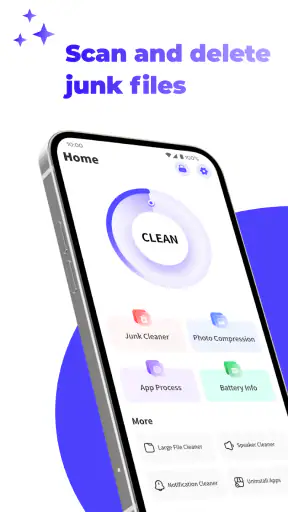
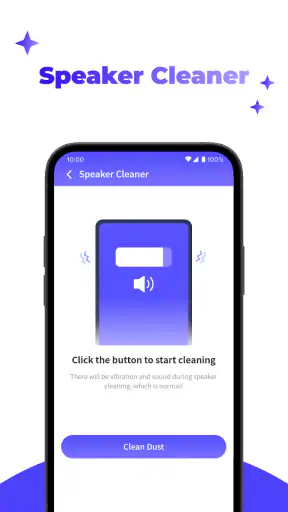
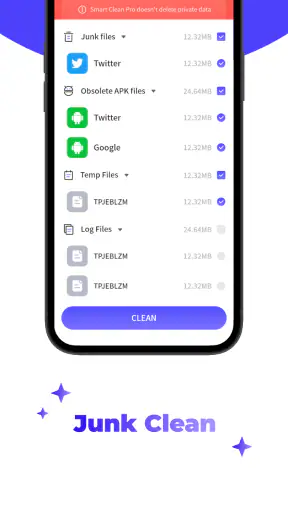
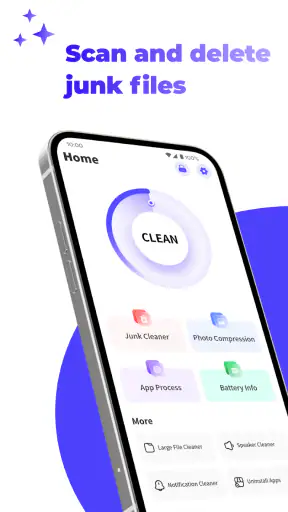
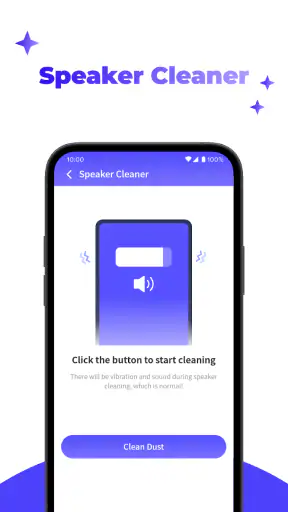
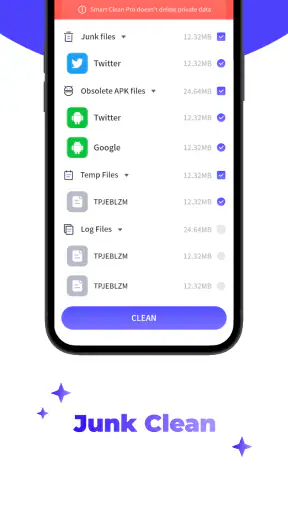
When an Android phone starts feeling untidy, the problem is often not one dramatic file but a collection of leftovers: old installation packages, diagnostic records, and other files that were useful briefly and then stayed behind. Smart Clean Pro is a free tools app from Rangana Global Studio that focuses on that particular kind of housekeeping. I found its purpose easy to understand, especially for someone who does not want to search through folders manually.
The app’s store summary points to two targets: log files and APK files. That narrow focus is important. This is not something I would treat as a complete replacement for every storage-management tool on a phone. Instead, I see it as a practical cleanup assistant for people who want to review these file types in one place and remove unnecessary leftovers with less guesswork.
Smart Clean Pro has a 4.2 average from around 27 thousand ratings, with more than 5 million installs. Those figures suggest that the basic idea has found a sizeable audience, but they do not remove the need to check what is being selected before deleting anything. My best advice is simple: use it as a review-and-clean tool, not as a button to press blindly.
Getting from installation to a useful first cleanup
What to expect when you open it
The first-time experience is best approached with a modest expectation. You are opening a focused utility, not a broad phone-optimization suite with a long list of unrelated functions. Its job is to help identify log files and APK files that may no longer be useful. That limited scope can actually make the decision easier because you are not navigating a maze of battery, memory, network, and performance controls.
I would begin by thinking about why you installed it. If you recently downloaded several installation packages, tested apps, or noticed that storage is becoming crowded, the APK cleanup side is likely to be the most immediately useful. If an app or system component has generated many records over time, the log cleanup side may deserve attention. Starting with a clear reason prevents the common mistake of treating every discovered file as disposable.
The app is listed for Everyone, which makes its intended audience broad. In practice, I would still guide a less experienced phone user through the first scan rather than handing over the device and saying “clean everything.” The important skill here is not technical knowledge; it is recognizing that a file can be old without being useless.
Setting it up without overthinking the process
Smart Clean Pro is free, so the initial decision is not about committing to a subscription or comparing paid tiers. The more relevant setup question is whether you are comfortable allowing a cleaning tool to inspect the areas needed for its work. Read each system prompt carefully and grant only what is required for the cleanup you intend to perform. I never recommend approving a request automatically just because an app is designed for maintenance.
The current version is 1.1.6, and the app supports Android 6.0 and later. That makes it relevant to a wide range of Android phones, including older devices that may not offer the same modern storage-management experience as newer models. On an older phone, I would be especially careful to leave enough time for the first inspection and avoid starting the process while the device is already busy with an update or backup.
Before the first scan, I also suggest closing anything that is actively downloading or installing. An APK that is still being used should not be confused with a forgotten installer. Likewise, a log file that belongs to an ongoing troubleshooting session may be worth keeping until you have finished diagnosing the problem. This small preparation step makes the results easier to interpret.
Your first meaningful success
The clearest first win is a controlled APK cleanup. Open the relevant results, look through the names and locations rather than accepting a blanket selection, and identify packages connected to apps you have already installed or no longer plan to install. Removing a redundant installer can free space without changing the installed application itself, but only when you are sure you will not need that package again.
This distinction is easy to miss. An APK is an installation file, while the installed app is a separate matter. Deleting an unused package does not normally mean uninstalling the app it came from, but keeping an APK may be useful if you deliberately rely on that file for a later reinstall. If you transfer apps manually, keep older versions for testing, or use a package as an offline backup, do not remove it simply because Smart Clean Pro finds it.
For a realistic everyday example, imagine that I download an app to try it, install it, and then forget the original package in the download folder. A few weeks later, several more installers are sitting there. I would use Smart Clean Pro to gather those candidates, confirm that the files are no longer part of a planned installation workflow, and remove only the ones I recognize. The success is not merely seeing a smaller storage total; it is knowing why each deleted file was safe to discard.
Log cleanup needs a slightly different approach. Logs can be leftovers, but they can also help explain crashes or unusual behavior. If my phone is working normally and I am not collecting diagnostic evidence for support, removing old logs is reasonable. If I am troubleshooting a recurring problem, I would preserve the relevant records first, reproduce the issue if needed, and clean them only after I have finished using them.
Where first-time users can become confused
The word “clean” can create the wrong expectation. It does not automatically mean that every part of the phone will become faster, cooler, or more private. Cleaning a group of files may improve available storage, but it cannot repair a failing battery, fix an unstable app, or replace a proper backup. I would judge the app by whether it helps me make safer storage decisions, not by promises of a complete transformation.
Another point of confusion is the difference between a file being old and a file being unnecessary. A log from months ago is often less valuable than a current troubleshooting record, but age alone is not a perfect rule. The same applies to APK files: an old installer may be irrelevant, or it may be the exact version you keep for a particular device. Smart Clean Pro can bring attention to candidates; the final decision still belongs to me.
Users may also wonder whether cleaning logs will remove personal documents, photographs, or installed apps. The app’s stated focus is log files and APK files, so I would keep the operation within that purpose and inspect the selection screen carefully. I would not use any cleaning utility as a substitute for browsing important folders before a major deletion. A quick review is a small price for avoiding an unpleasant surprise.
If the results seem smaller than expected, that does not necessarily mean the app failed. The phone may already be tidy, the files may be stored somewhere outside the areas it identifies, or the largest storage problem may be media and app data rather than logs and installers. In that situation, a built-in storage manager or a file manager with broader folder visibility may be a better next step.
Three habits that make the tool more useful
My first useful habit is to separate “safe to remove now” from “possibly useful later.” I would keep a small mental or written list of installers used for manual recovery, testing, or offline installation. When Smart Clean Pro presents them again, I can recognize them instead of deleting them impulsively. This turns cleanup into a repeatable process rather than a guessing game.
The second is to clean after a completed installation cycle, not during one. If I am setting up a phone, moving between devices, or testing several versions of an app, I wait until the process is finished. Only then do I review the remaining APK files. This avoids deleting the package I still need and makes the scan results less cluttered.
The third is to treat log cleanup as part of troubleshooting rather than a routine performance ritual. When an app crashes, I would first capture the information I need, contact support if appropriate, or record the circumstances. Once the issue is understood, Smart Clean Pro becomes more useful because I can remove stale diagnostic material with confidence. That workflow is more careful than cleaning logs every time the phone feels slow.
A fourth practical habit is to perform a preview before any large removal. Even when a tool offers convenient selection, I prefer to expand the results and check recognizable names, recent downloads, and anything tied to a current task. This takes longer than tapping a single confirmation, but it is the difference between assisted cleanup and accidental deletion.
How it compares with the usual alternatives
Compared with a standard file manager, Smart Clean Pro should feel more direct for its chosen targets. A file manager gives me broader control, but that also means I must know where to look, understand file extensions, and decide which folders are relevant. For someone who only wants to review log and APK leftovers, a focused cleaner can reduce that searching.
The built-in storage tools on many Android phones are often the better choice when the real problem is large videos, duplicate photographs, cached content, or unusually large applications. Those tools may provide a wider picture of storage use. Smart Clean Pro makes more sense when I already suspect that installers or logs are the clutter I want to address.
Manual deletion is the most transparent alternative because I can open a folder, inspect every item, and remove files one by one. It is also the easiest way to make a mistake if I do not understand the folder structure. Smart Clean Pro offers convenience, while manual browsing offers maximum visibility. I would choose the app for a quick, targeted review and manual tools for unusual files that need closer investigation.
I would also avoid stacking several cleaning apps and running them all on the same phone. Multiple utilities can make it harder to know what was removed and may encourage unnecessary repeated scanning. Since this app has a specific purpose, it works best when I use it alongside sensible storage habits rather than as one part of an aggressive collection of “boosters.”
Who should use it, and who should skip it
Smart Clean Pro is a good fit for someone who downloads installation packages, uses an older Android phone, or wants a simpler way to review log and APK clutter. It is also useful for a family member who finds folder navigation intimidating but can understand a list of cleanup candidates when given a little guidance. The free price makes it easy to try without turning a basic maintenance task into a purchase decision.
I would be more cautious recommending it to a developer, tester, or support technician who needs to preserve logs and several APK versions. Those users may value detailed folder control more than convenience. A broad file manager, a dedicated backup workflow, or the tools already included in their development process could be more appropriate.
It is not the right first choice for someone whose phone is full because of photos, videos, offline media, or large app data. Cleaning a few installers will not solve that kind of storage pressure. In that case, I would begin with the phone’s storage overview, move important media to a trusted backup, and use Smart Clean Pro only if logs or APK files are also contributing to the problem.
My practical verdict after using it
I like Smart Clean Pro because its purpose is easy to grasp: it helps me review two specific categories of leftover files instead of pretending that every storage problem has the same solution. The strongest part of the experience is the focused workflow from scan to inspection to selective removal. The main limitation is equally clear: the app’s usefulness depends on whether logs and APK files are actually the source of my clutter.
Rangana Global Studio has positioned it as a straightforward tool rather than an all-purpose phone repair kit. That is how I would recommend using it. Start with one category, inspect the candidates, keep anything tied to a current installation or troubleshooting task, and remove only what you can identify confidently. Afterward, check whether the storage improvement matches the problem you were trying to solve.
For a first-time user, the safest path is to begin with old APK files that are clearly no longer needed, then approach logs only when they are not part of an active diagnosis. The best result comes from informed cleanup, not maximum deletion. If that matches what you need, this free tools app is worth trying on a compatible Android phone. If your main concern is media, app data, backups, or detailed file management, I would choose a broader alternative instead.


